Blackout or placeholders: choose your output
Choose a sharing copy that suits the way it will be read.
Start with the reader
Both modes replace detected sensitive information. The difference is how much structure the recipient sees in its place. Think about the next action: viewing a page, discussing a narrative or feeding text into a tool. The choice affects output presentation; it does not turn automatic detection into a guarantee that every sensitive detail has been found.
Choose blackout for a visual sharing copy
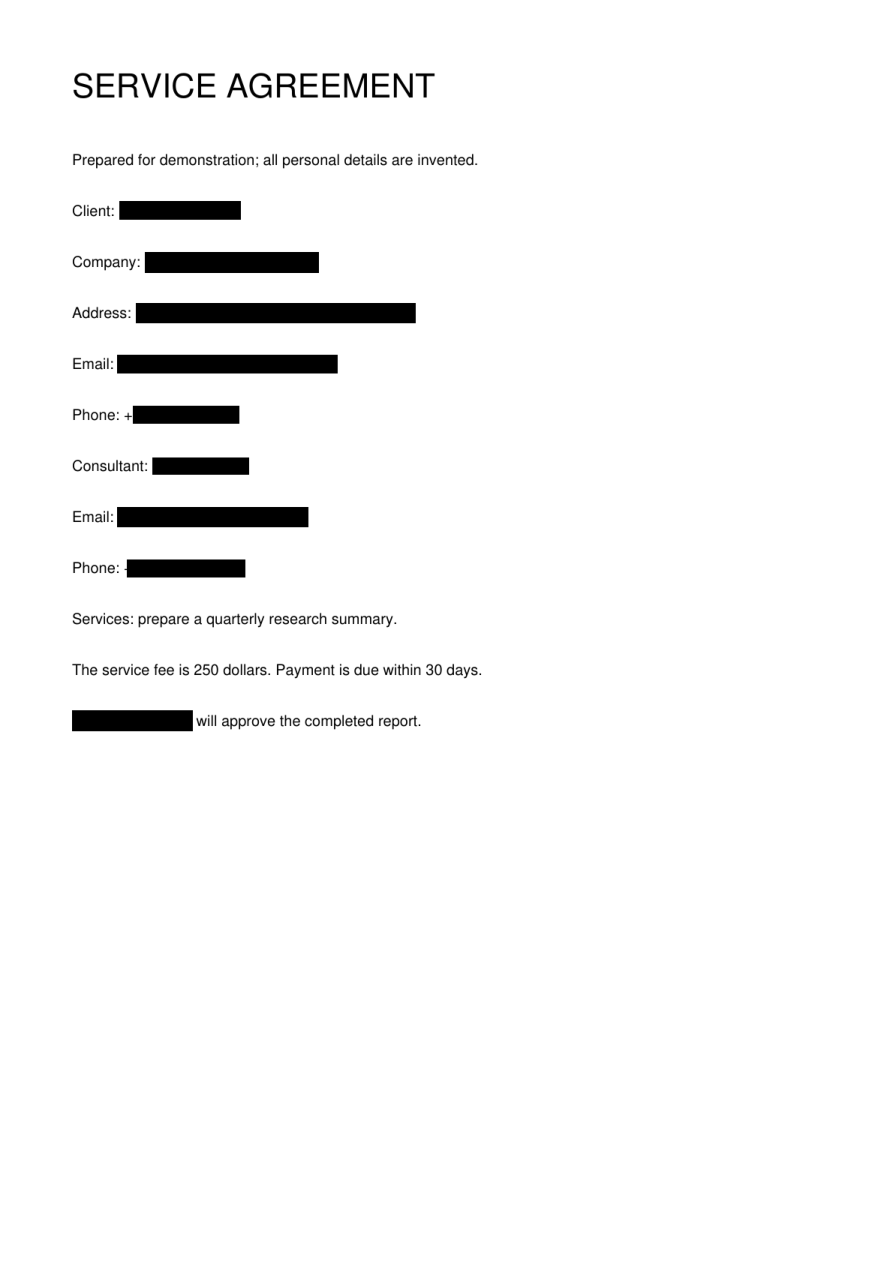
Blackout makes the removed region apparent without supplying a descriptive label. In PDF output, the page image carries the mask. Word, Excel and text use black-block replacement characters. Check the final appearance in the downloaded format, especially where long replacements sit in narrow table columns or adjacent to punctuation.
Choose placeholders for readable relationships
A placeholder such as [Person 1] signals that a reference has been replaced. It can make a note or argument easier to discuss than a row of black blocks. Labels are scoped to a task and are not a reversible anonymization key. Keep that distinction in mind when combining results from several documents.
Compare using a fictional sample
The homepage preview illustrates both styles, while the sample action runs a real task. Try the style that fits your intended use and open the downloaded copy. A preview is not your file. Confirm the result you will share, and keep the original and processed copy clearly separated.
Before you move on
- Blackout: a visual sharing copy.
- Placeholders: readable references.
- Labels do not provide a restoration map.
- Inspect the real downloaded file.