Documents, ready
for people.
And for AI.
Automatically redact sensitive information in PDFs, Word, Excel, and text. Upload a file, connect an API, or give your agent a new capability.
Private processing · No third-party LLM services
Current entry uses HTTP — read data handling details
Same document.
Fewer private details.
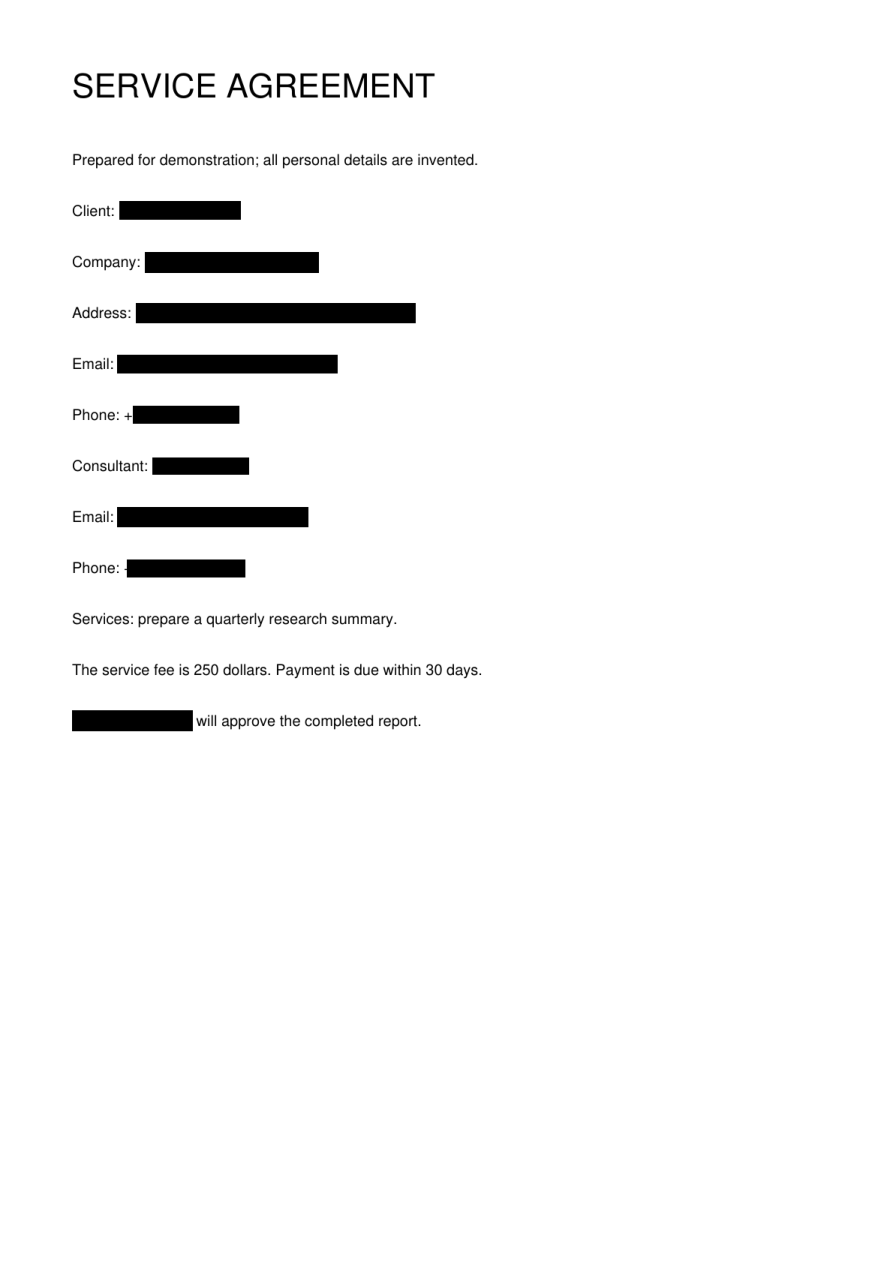
See how sensitive information changes while the rest of the document stays useful.
Download these examples →English test notes →
Bring your document.
A scan, a contract, a spreadsheet. Choose a file and how you want sensitive information replaced.
Let the busywork happen.
Detection and redaction run automatically. Follow the progress while your document is processed.
Take your copy with you.
Download the processed file. Check it is suitable for your purpose before sharing it.
From clean text to difficult scans.
Everyday formats covered. Extra care for documents that aren't easy to read.
Scanned doesn't mean stuck.
Built-in OCR connects detected text to the document image, so scanned PDFs can follow the same simple workflow.
More than PDF.
Process Word documents, Excel spreadsheets, plain text and Markdown alongside PDFs.
Two useful outputs.
Black out details for sharing, or use placeholders to keep the text understandable.
Fits your workflow.
Use the website for a single document. Use the API or MCP to bring redaction into your own tools.
A separate copy.
Get a processed output without replacing the original document on your device.
What are you working on?
Send the work.
Keep details private.
Prepare a copy of a document for a client, collaborator, or external recipient.
Try blackout mode ↗Keep the context.
Replace the names.
Prepare text and Word documents with placeholders before your next AI-assisted workflow.
Make redaction
part of the process.
Add asynchronous document processing to your application, agent, or automation.
Build with MaskMaster ↗Different teams. Shared privacy needs.
Prepare case materials for discussion.
Contracts · case notes · scanned exhibits
People & recruitmentDiscuss experience, not contact details.
Interview notes · CVs · training examples
Finance & operationsShare the record with fewer identifiers.
Invoices · reconciliation sheets · correspondence
Property & facilitiesPrepare documents for the next handover.
Lease records · maintenance notes · handover files
Healthcare education & researchPrepare authorized teaching material.
Teaching notes · research excerpts · case examples
AI products & knowledge workflowsPut redaction before the next model call.
Meeting notes · knowledge documents · support excerpts
Built for developers.
Readable by agents.
The same file-processing capability through REST and MCP. Clear inputs, asynchronous jobs, and an authenticated result.
# Your configured service URL and Bearer key
curl -X POST "$MASKMASTER_BASE_URL/v1/files" \
  -H "Authorization: Bearer $MASKMASTER_API_KEY" \
  -F "file=@client-notes.docx"

# Then create a redaction job, poll, and download.
# Complete examples in the quickstart →
More support for the next step.
How to redact your first document
From choosing a file to downloading a separate redacted copy.
Read the guide →File formatsRedacting scanned PDFs: what to check
Understand image-based pages, OCR, page positions and the resulting PDF.
Read the guide →AI & automationRedact documents before sending them to AI
A practical boundary between your original material and the next model call.
Read the guide →Your documents.
Clear answers.
Understand what happens to a file before you upload it. Straightforward information about processing, access, and deletion.
Security & privacy ↗Our proprietary redaction engine processes files only on servers we manage. Document content is not sent to third-party large-language-model services.
Completed task data are kept for 24 hours, then automatically cleaned up. Active and shared-source files follow the detailed retention rules.
Your documents are used to complete your requested task, not to train models. Results are accessible only through the owning session or API key.
Automatic detection can miss details, especially handwriting. Review outputs for your intended use.
Try a document.
Then connect your workflow.
Free trial. Shared usage across the browser, API, and MCP.
Explore the result
Try a fictional sample or process your own authorized document.
- PDF, Word, Excel and text
- Blackout or placeholders
- No payment required
Build with MaskMaster
Get a trial key for your integration. Valid with the current session, up to 24 hours.
- Full asynchronous API
- Explicit MCP tools
- Machine-readable documentation
Up to 20 tasks per visitor per day, 2 active at a time. Shared service capacity applies. See all limits →
Before your first document.
Which file formats can I use?
The current service accepts PDF, DOCX, XLSX, TXT, and Markdown. PDF includes scanned documents. Legacy DOC/XLS, presentations, and other formats are not included in this demo's supported list.
What's the difference between blackout and placeholders?
Blackout hides detected details. Placeholders replace them with labels, such as [Person 1], so the surrounding text remains understandable. The preview above illustrates both.
Will my document keep its formatting?
Output depends on the format. PDF processing preserves the page image while masking detected areas; current PDF output is rasterized. Office and text files use their respective processing paths. Check the sample for your format.
Can I use the results with AI?
TXT and DOCX placeholder outputs are the starting point for text workflows. Current PDF outputs do not have a searchable text layer; a downstream text-only tool would need OCR.
How long does processing take?
Time depends on page count, content, scans, and queue load. Short files and long scanned documents have different processing times. The service shows task progress rather than promising all files finish in seconds.
Does automatic redaction find every sensitive detail?
No automatic detector can guarantee that. Handwriting and complex documents may contain missed information. Check your output before sharing sensitive material.
Can I connect MaskMaster to my app or AI assistant?
Yes, the current service has API and MCP paths. The developer hub includes runnable examples, a live REST demo, job polling, error handling, limits, and credential lifetimes.
Your next document.
A little less personal.
See what a processed copy looks like. Start with a sample.